
How to build your customer view in snowflake
Snowflake is currently the most popular data warehouse on the market. Its growth in the past five years has been impressive (from $600K to $2.8B in four years). While there are many good reasons to adopt this tool, Snowflake’s main strengths lie in three areas:
- Very little infrastructure management
- Ease of use once you understand SQL
- Technological independence from GAFAM
If your company already has a Snowflake instance, it’s often wise to also add in your customer data to create a 360 view. Here’s how Snowflake makes your life easier when centralizing data.
-2.png?width=4000&height=2450&name=La%20vue%20360%20(8)-2.png)
How do you integrate data into Snowflake?
There are generally two methods to load your data into Snowflake using automation: Use either native connectors created and maintained by Snowflake or third-party external connectors maintained by organizations or communities (sometimes paid). It’s also possible to develop your own connectors, but this option should only be a last resort, since maintaining APIs is not generally cost-effective in the long term.
Here’s an overview of the free native connectors offered by Snowflake:
- For behavioural data
- GA 4 raw data (see below) or aggregated data connector
- Snowplow
- Amplitude
- Piano
- …
- For CRM data
- Hubspot
- …
- For data enrichment
- Postal code, population, demographic data
- SimilarWeb keywords
- Weather data
- …
- For transactional data
- Stripe
- …
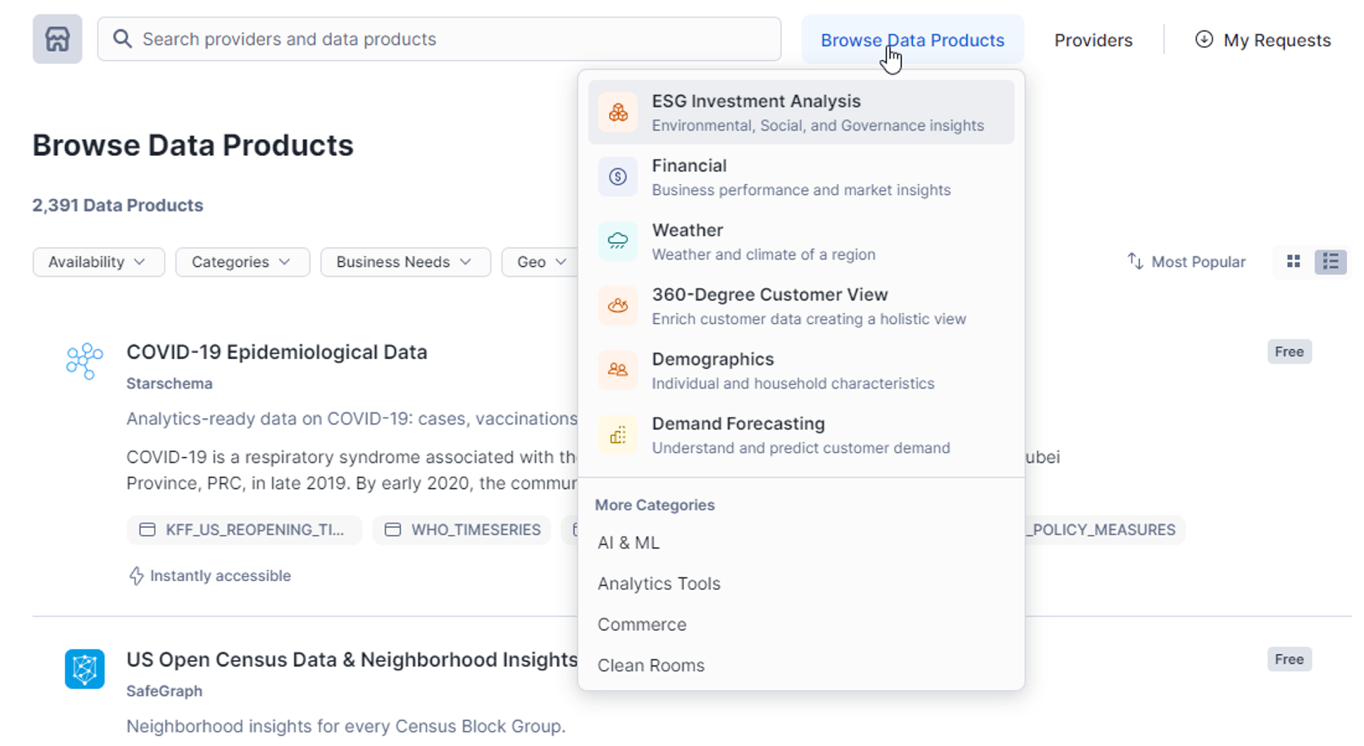
Snowflake has thousands of connectors or public datasets to enrich your data warehouse
Plus, using (paid) third-party tools like Fivetran, it will be really easy to centralize the rest of your data in Snowflake, such as from:
- your media sources (Google Ads, Facebook, Tiktok, etc.)
- your online sales (Magento, Shopify, etc.)
- your emailing data (Klaviyo, Marketo, etc.)
- ...
This means there are really no insurmountable technical problems when it comes to centralizing your data!
Focus on GA4 raw data
Snowflake recently added a new game-changing tool to its tool box: the GA4 connector for raw data. This connector handles the daily importation of GA4 raw data from BigQuery and implements it in just a few clicks.
This means BigQuery is still necessary for the daily exporting of GA4 raw data, however it’s no longer necessary to set up complex exports to send the data elsewhere.
The process is really simple: Just change a few permissions in BigQuery, take a few seconds to install an application in Snowflake, then copy-paste a few values between the two systems. You’re done! One thing to keep in mind, however, is that this connector isn’t available on Snowflake instances hosted on GCP (only on Azure and AWS).
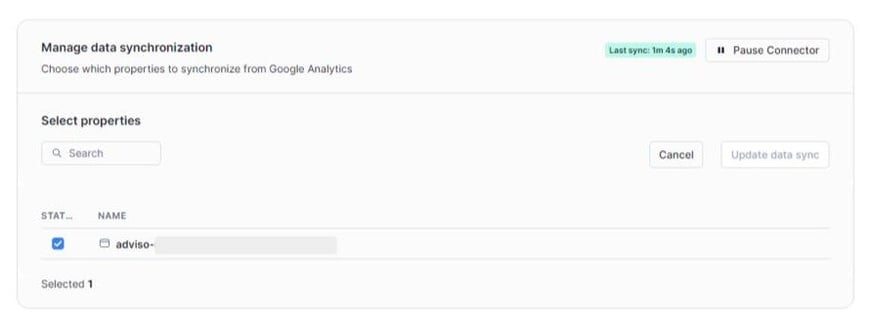
Several properties can be easily selected if necessary
What’s the next step?
If you already have Snowflake and Google Analytics 4, we recommend starting with that. The setup is really fast. Next you need to transform your GA4 data, and here at Adviso we use the number one solution on the market: dbt. This tool allows you to adopt modern data transformation practices in SQL.
If you don’t have a data warehouse, the first step is to identify if you really need one, and if you do, which one is the best platform for you. Here at Adviso, we help our clients choose the best solution based on their needs on a daily basis.
-1.png?width=40&height=40&name=Guillaume%20Wagner_36%20(1)-1.png)